Comment by biztos
2 months ago
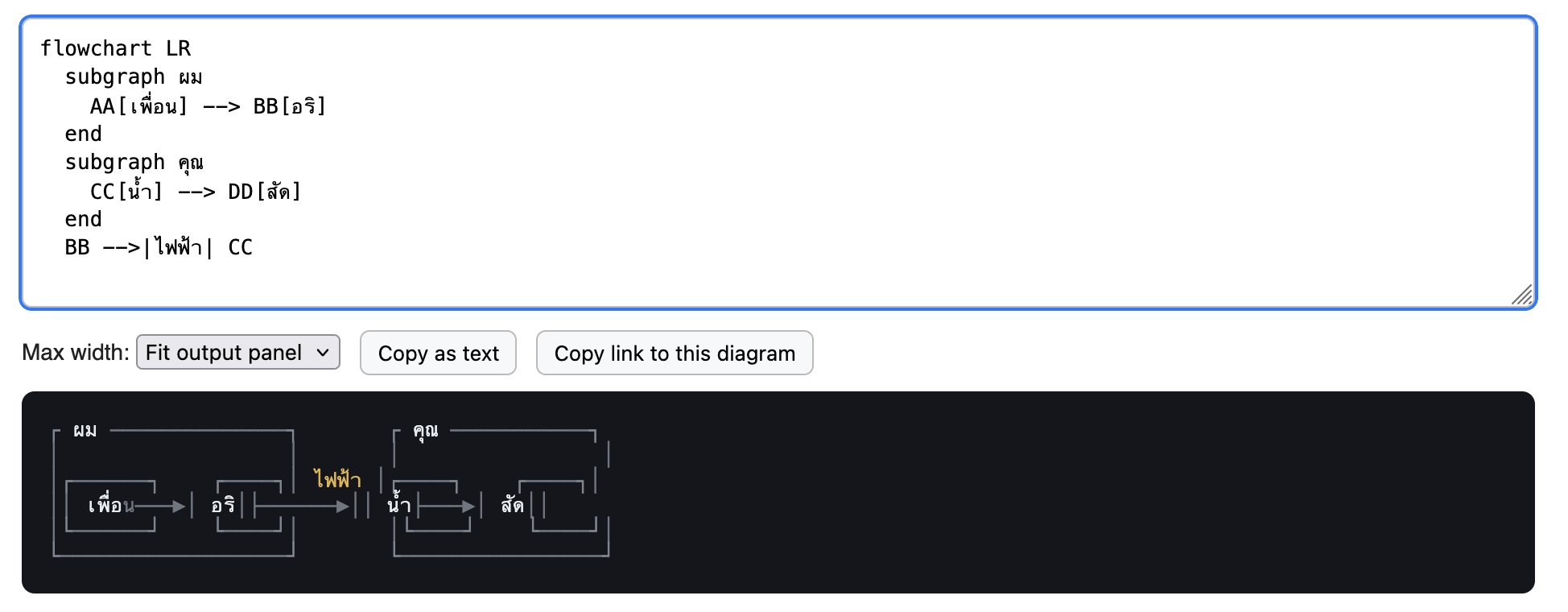
Interesting. Thai characters can also blow it out, I imagine because of the difficulty mapping glyphs to width:
https://biztos.com/hey/thai-mermaid-chart.png
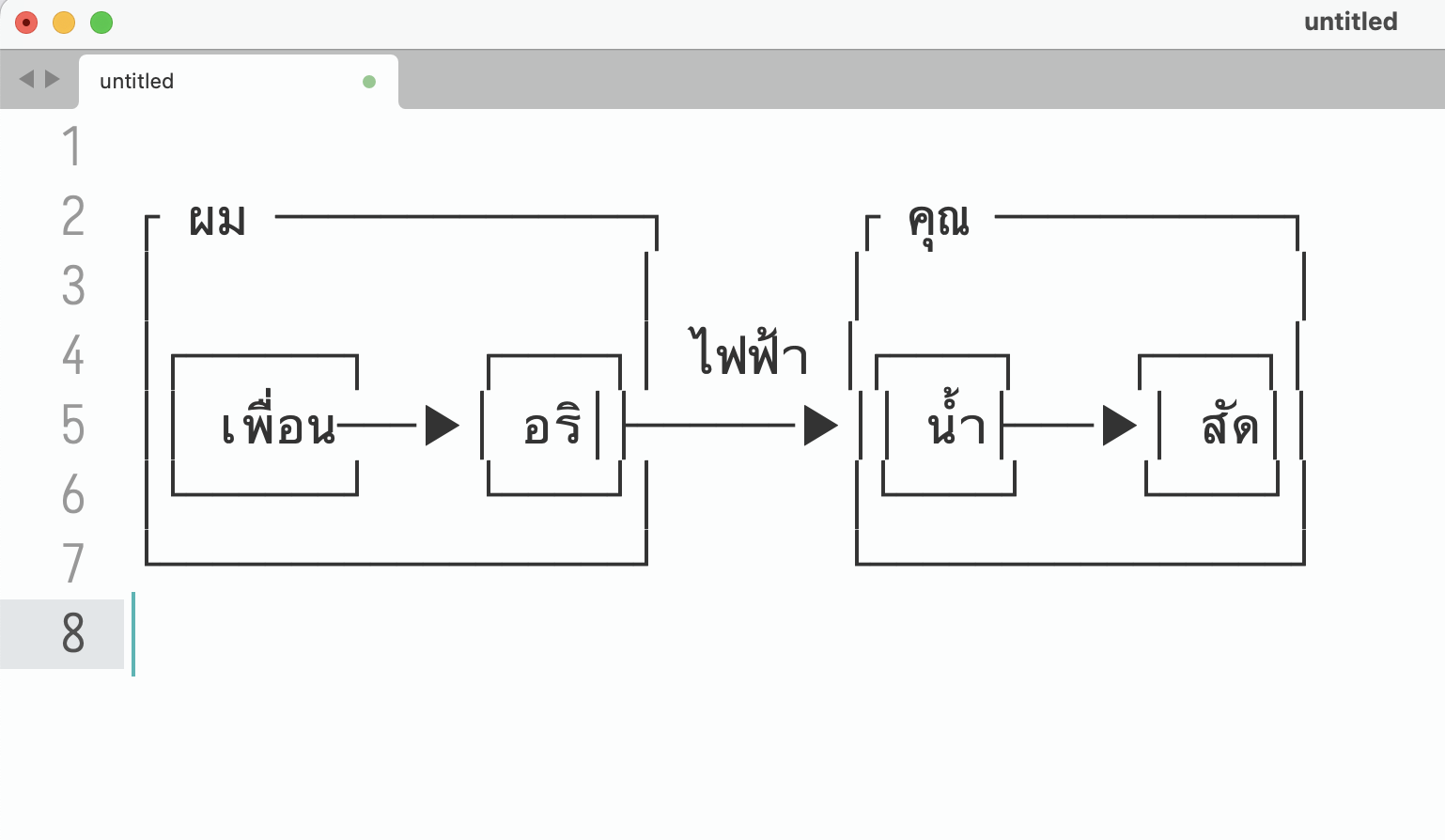
To my surprise, Sublime Text gets it almost right:
https://biztos.com/hey/sublime-thai-mermaid.png
I tried finding a Thai monospace font and using that in the HTML but it was worse, probably didn't have the box drawing chars.
Still a fun tool and useful for lots of ASCII cases!
The first issue is due to the assumption that character count equals character display width. Thai tone markers usually[1] should not contribute to the display width (เพื่อน is chars = 6, width = 4), so it caused a layout shift.
The second issue is due to the program's layout engine not adjusting the glyph width of a fallback font to that of the main font. A lot of terminals do this, but it's not common for text editors or browsers (arguably this is the correct behavior for non-terminals, since you cannot assume everything must be snapped to a grid).
Fun test for this:
This has the same character width. Ghostty, etc., will render it correctly (| aligned). Most browsers and text editors will not.
[1]: some layout engines render free-standing tone markers as 1 character; in that case, this rule only applies to when tone markers are following a character.
That test looks pixel perfect in Chrome Android.
Same in Firefox for Android!
Thanks for the explanation.
Safari on iPad lines these up almost perfectly - the second line is a tiny bit wider, I didn’t even notice it at first.
That example had a tone mark but no vowels, so I will try one with both. E&OE.
[edit] These are even closer, but still imperfectly aligned on my iPad.
This isn't a renderer bug, it's font. Proportional fonts aren't designed with alignment in mind at all, and you can't just expect monospace fonts for all languages outside of ASCII range to be present on random systems, or a single font or font family to support multiple different languages consistently.
You can't really control alignment of deeply Unicode characters like Thai or "→" against monospace characters without serving your own monospace fonts that are guaranteed to work for the characters you'll be sending out, assuming you can always have one in hand.
5 replies →